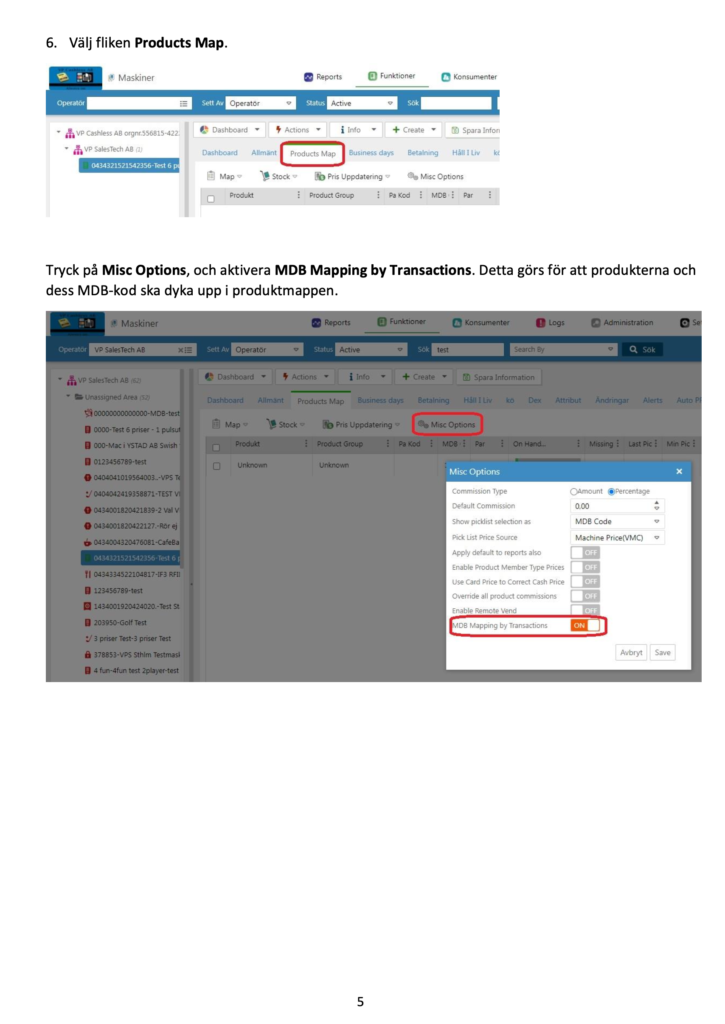
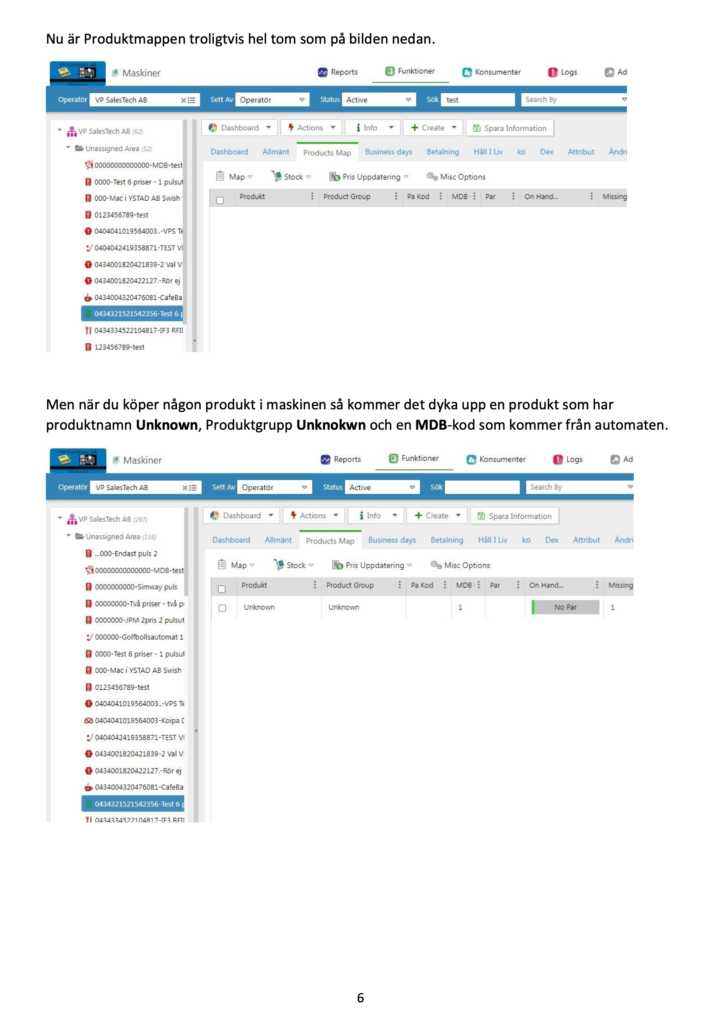
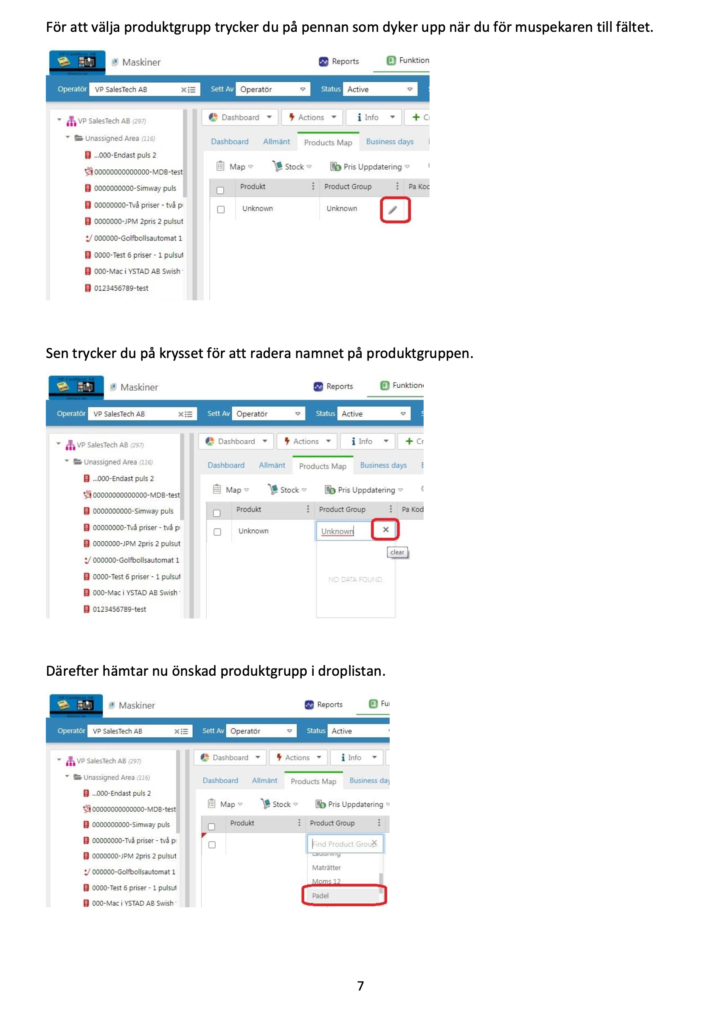
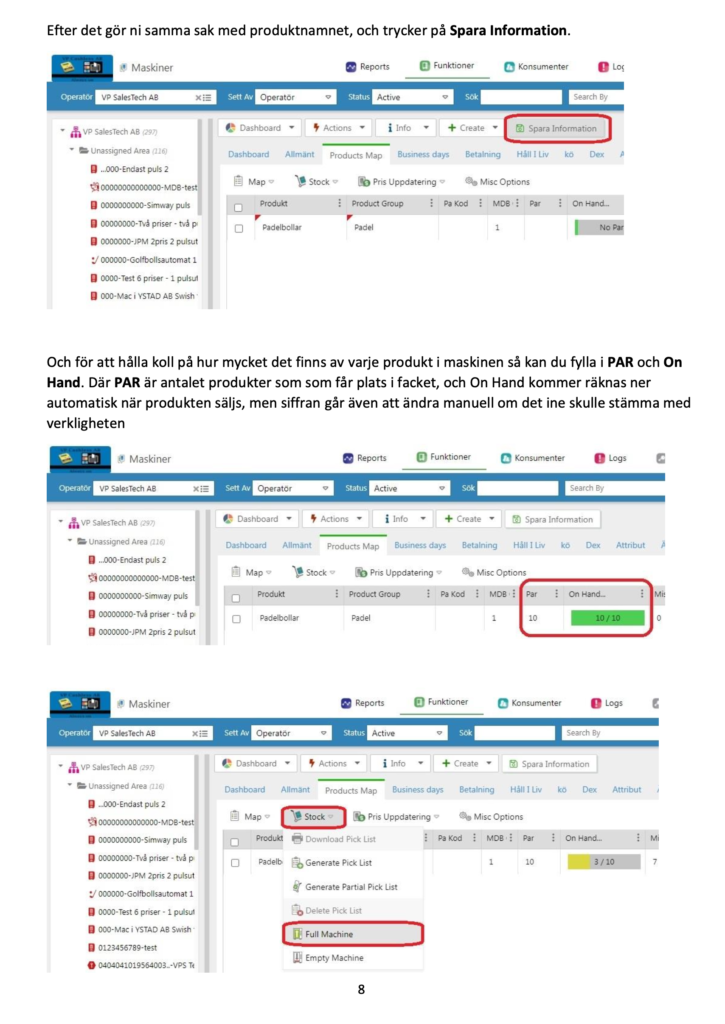
New VAT rate on food from 1 April 2026
As of April 1, 2026 VAT on food in Sweden will be reduced from 12 % to 6 %.
For businesses selling food via take away, smart fridges, micro shops or vending solutions this means that the VAT rate needs to be updated in the systems.
If you use payment systems from Nayax or Smartkyl from Selfly Store you therefore need to adjust the VAT in the respective backend system:
- Nayax Core - for payment systems and card terminals
- Selfly Cloud Portal - for smart cold and smart cabinets
Below you will find a simple guide on how to update VAT in both systems.
How to change VAT in Nayax Core (payment system)
If you use Nayax card terminals or payment solutions the VAT rate needs to be updated in Nayax Core, so that:
- receipts show the correct VAT
- reports are correct
- the accounting records are correct
1. log in to Nayax Core
Go to:
Log in with your user details.
2. go to product settings
In the menu, select:
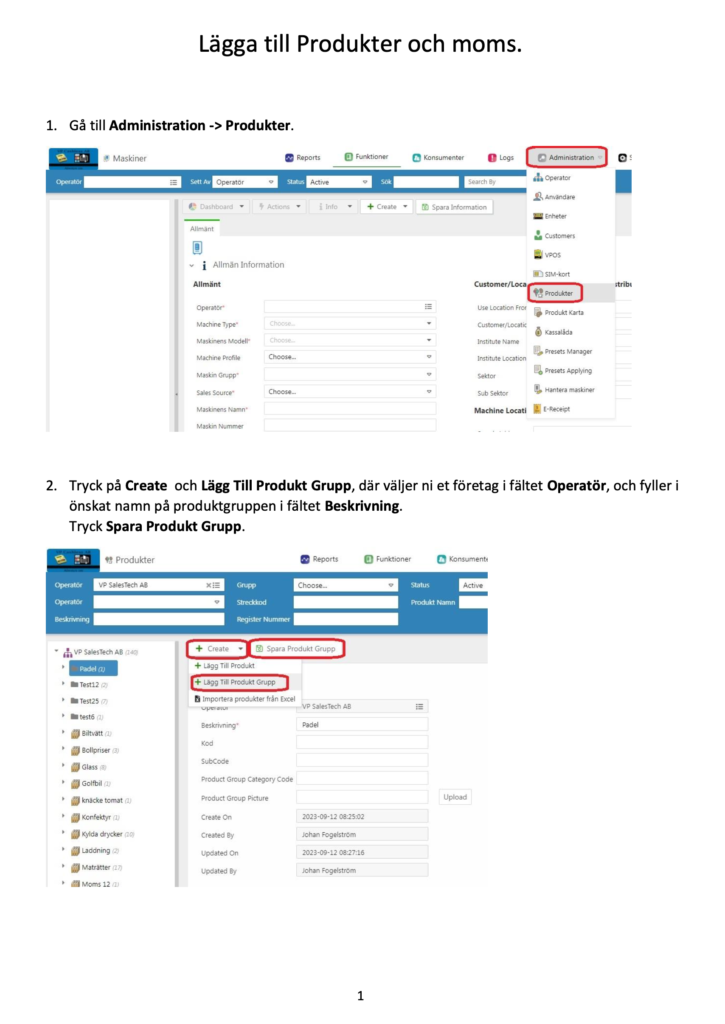
Administration → Products
Here you manage products, product groups and VAT.
3. create or update a product group
Click on:
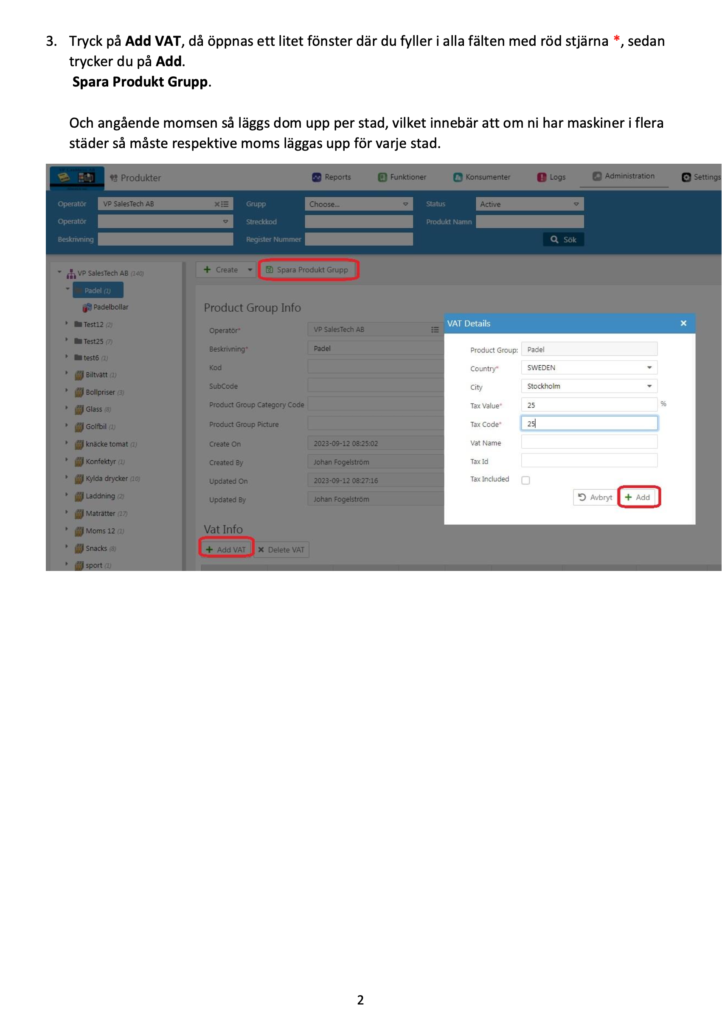
Create → Add product group
Fill in:
- Operator
- Description of the project (e.g. Mat 6 %)
Then click on Save product group.
4. Add or change the VAT rate
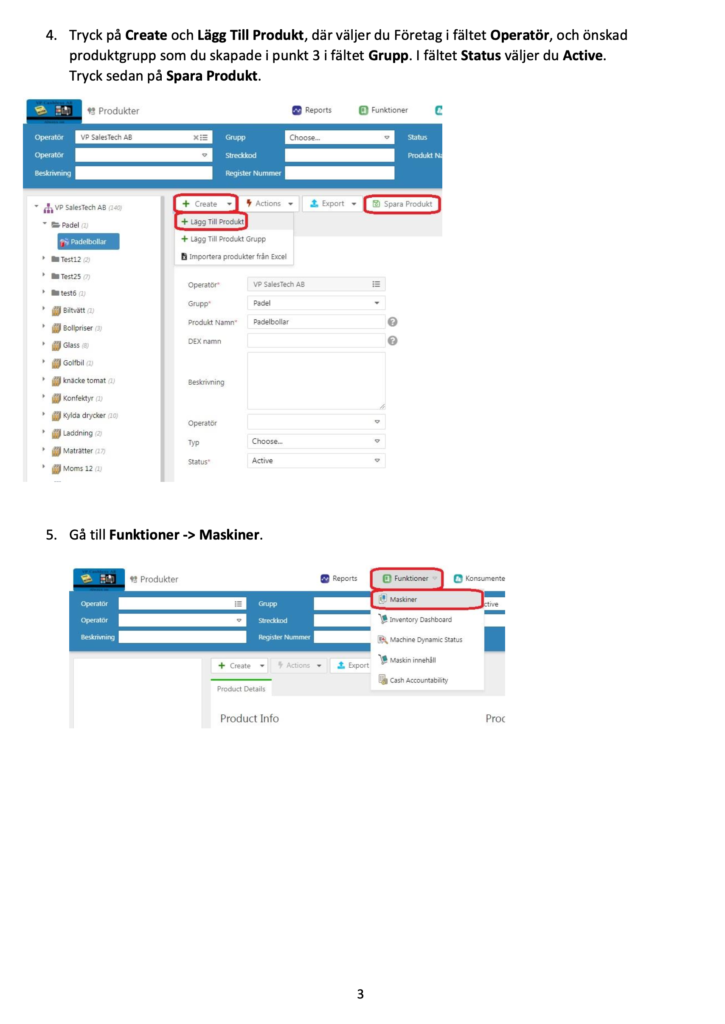
- Click on the Add VAT
- Fill in the information:
- Country: Sweden
- City: current city
- Tax Value: 6 %
- VAT Name: for example Mat 6%
- Click on the Add
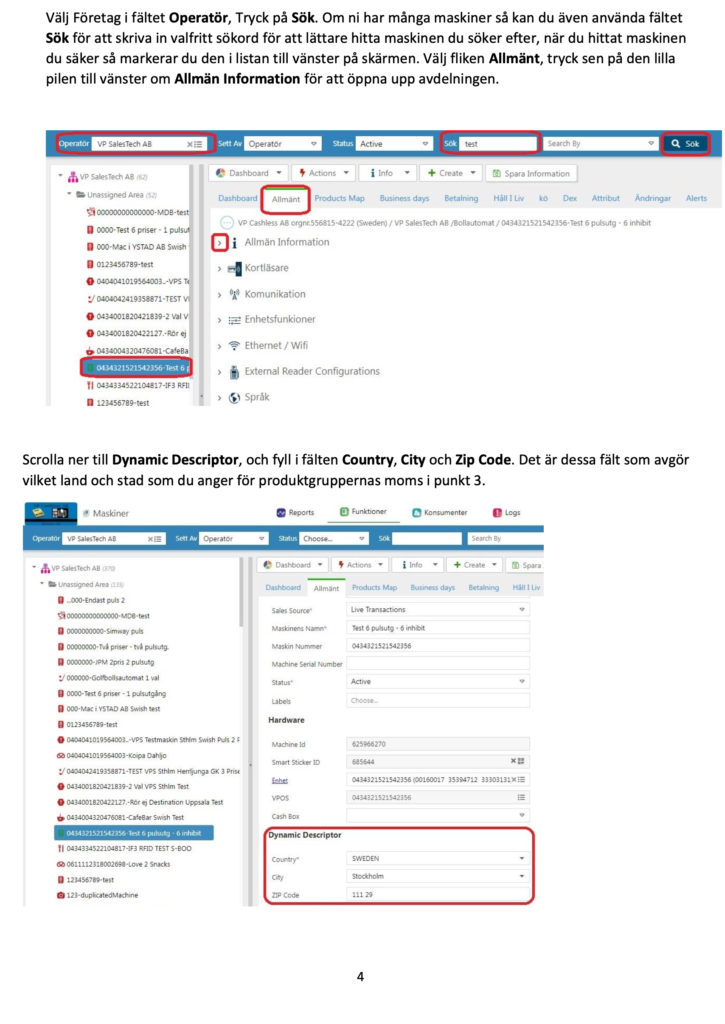
5. Assign products to the right product group
Make sure that the products sold through your vending machine, micro store or kiosk are in the right product group with 6 % VAT.
This ensures that:
the accounting data from Nayax is correct.
receipts show the correct VAT
sales reports are accurate
Do you use Smartkyl? Change VAT in Selfly Cloud
If you use Smartkyl from Selfly Store the VAT also needs to be updated in Selfly Cloud Portal.
VAT is handled there in product catalogs and is linked to product groups.
How to change VAT in Selfly Cloud
- Log in to Selfly Cloud Portal
- Go to the menu:
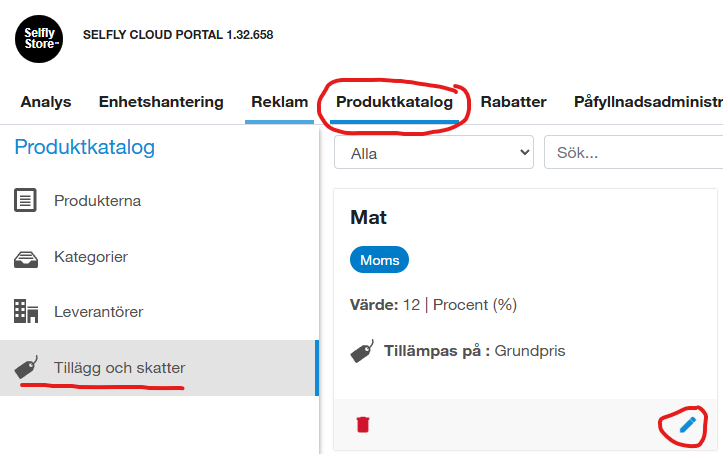
Product catalog → Supplements and taxes
- Select the relevant VAT category, for example Mat
- Click on the edit (pencil icon)
- Change the VAT rate from:
12 % → 6 %
- Save the change
When the VAT is updated, it automatically applies to all products using that VAT category.
Do you need help?
If you have questions about how to change the VAT in Nayax Core or Selfly Cloud for Smart Fridges we will be happy to help you.
📧 support@vpsalestech.se
📞 08-747 52 50
We help you quickly ensure that VAT is set up correctly in your systems for the change on April 1.